Prepare and analyze iLoader
In this section, we will first download the iLoader tool and analyze some parts of its source code to get a better understanding of how it works.
With his original De Rebus Antiquis writeup, Xerub provided to us some tools he made for the exploitation of this iBoot bug. This is not a simple download link, there is a little challenge to solve before we get all the stuff we need. :^)
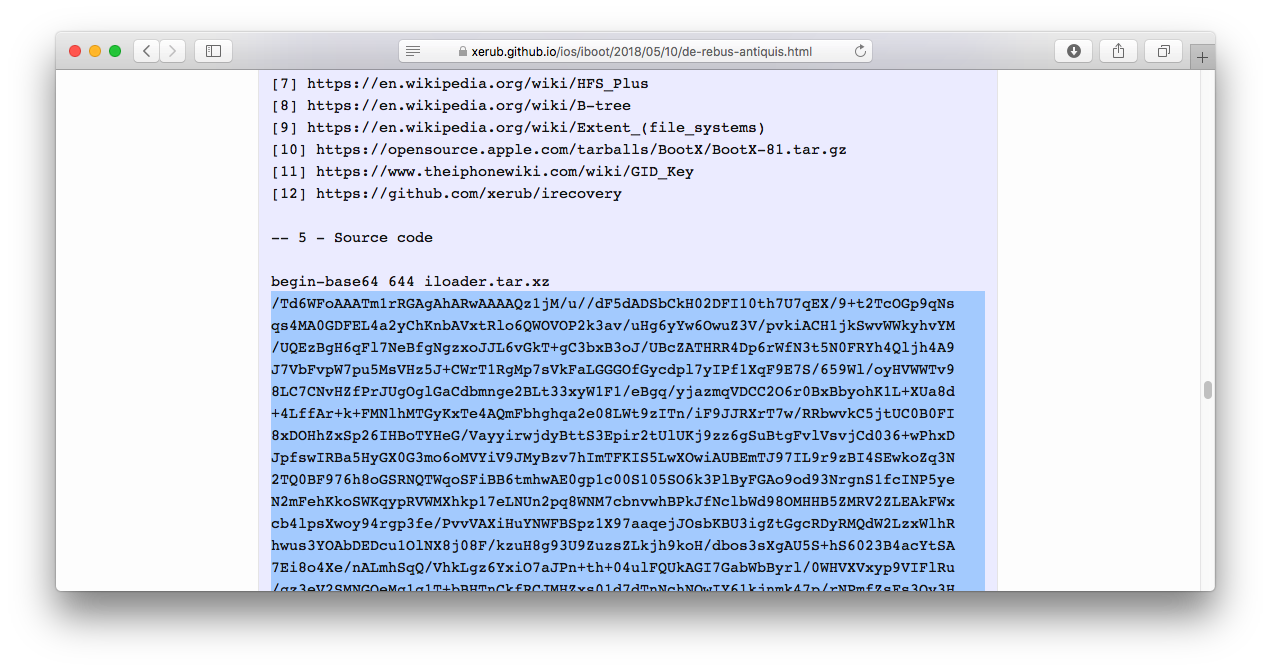
Go to the source code section (5), there is an header string that tells about a file below named iloader.tar.xz and encoded in base64. The use of base64 is to convert a binary file into 64-chars ASCII text, so no files have to be uploaded, just copy pasted instead. Select the whole string below "begin-base64 644 iloader.tar.xz" to before "====" like this.
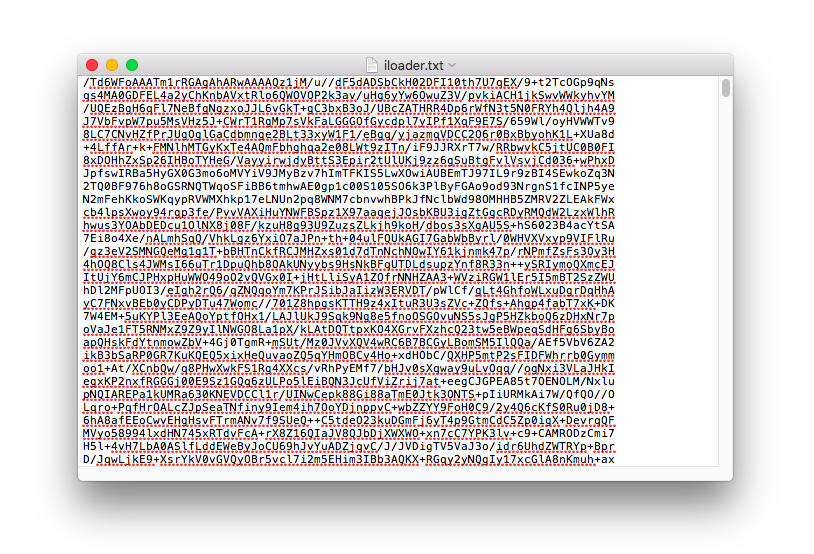
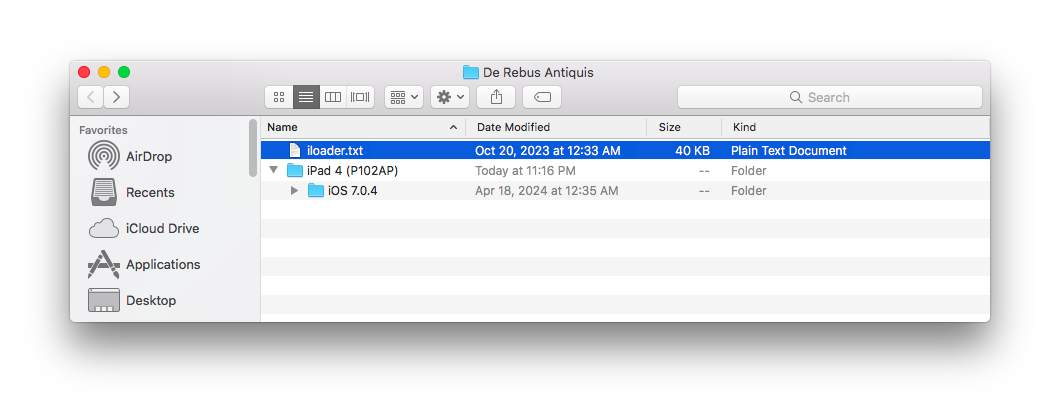
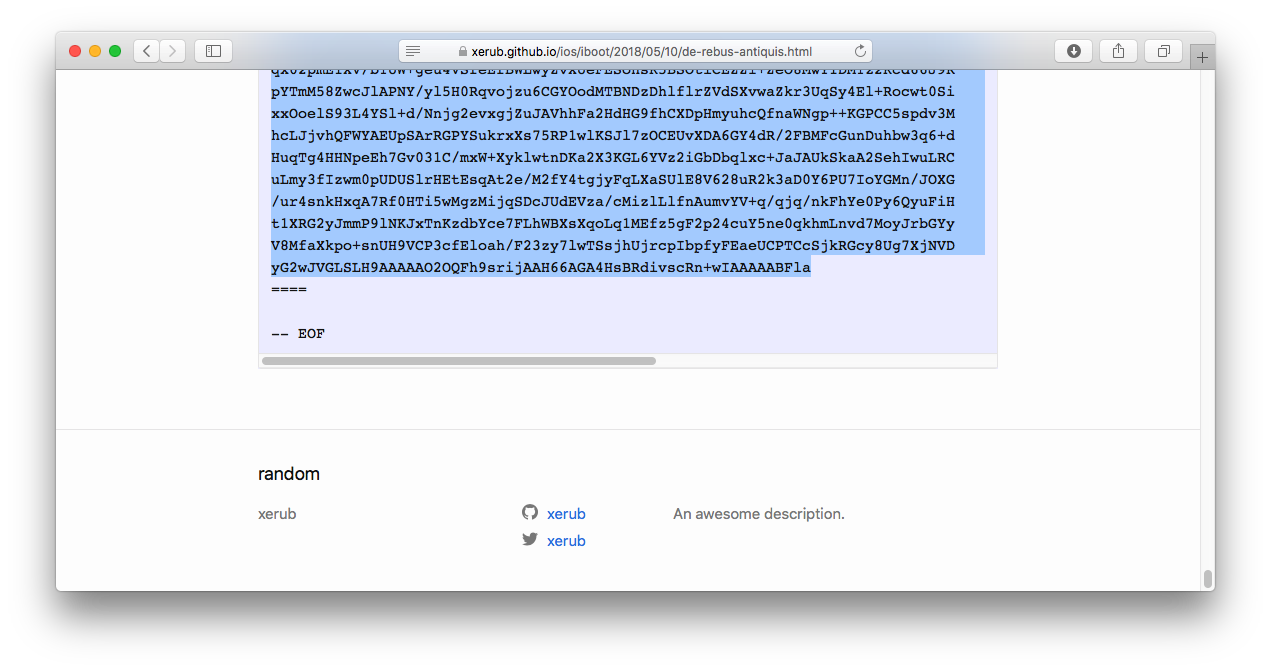 Paste the selected string into a new file named "iloader.txt", placed in your "De Rebus Antiquis" folder.
 Run base64 to decode the text file into it's binary form.
base64 --decode iloader.txt > iloader.tar.xz
Decoded output is a .tar.xz archive, you can use tar to extract it.tar -xf iloader.tar.xz
There will be an "iloader" folder extracted.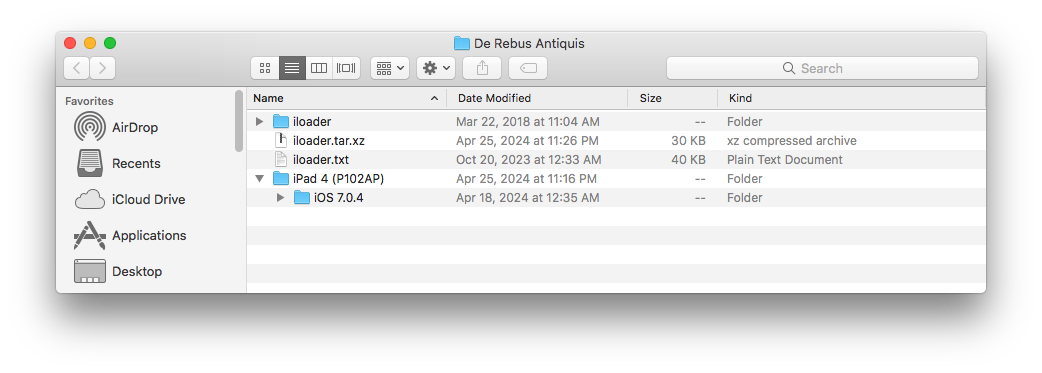 Go into this folder, our adventure in the lands of this iBoot exploit starts here.
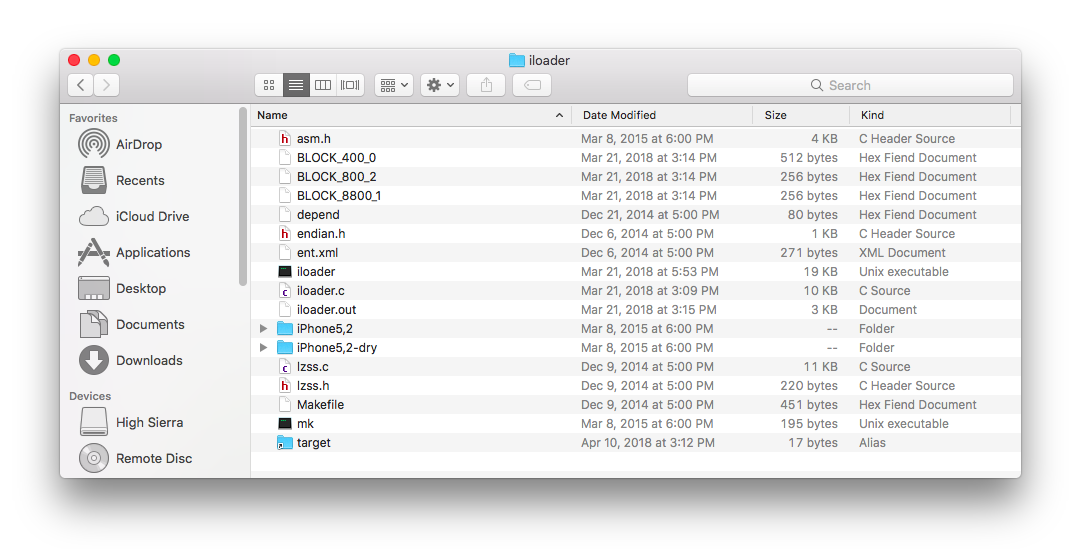
Xerub's iloader is an extremely complex piece of code, even myself who is writing about still don't understand everything. This tool will allows you to execute an iBoot image inside userland environment, providing debugging features such as breakpoints and memory operations. It's like a kind of iOS low-level environment emulator for userland. There are some important things to consider thought. First, an image executed using iloader must be patched to skip hardware routines since we are running totally from an enclosed software environment. Also, the memory layout of that image in iloader environment must be exactly the same as it would be in the low-level hardware environment. I mean for example, the offset between the main task stack address and the iBoot base one must be the same in order to have the execution properly aligned.
Here is a listing of all files Xerub has bundled with his exploitation toolkit.- iloader
- asm.h
- BLOCK400_0
- BLOCK800_2
- BLOCK8800_1
- depend
- endian.h
- ent.h
- iloader
- iloader.c
- iloader.out
- lzss.c
- lzss.h
- Makefile
- iPhone5,2
- 11B554a
- iBoot.h
- nettoyeur
- ramdisk.dmg
- ramdisk3.dmg
- ramdiskF.dmg
- work
- hotdump.c
- kdumper.log
- libpatch.c
- README!!
- resize.txt
- netto
- gen.sh
- gen2.sh
- iBoot_diff.txt
- nettoyeur.bin
- nettoyeur.c
- nettoyeur.c~
- nettoyeur.cmp
- nettoyeur.o
- run
- doit
- undoit
- stub
- gen.sh
- iboot_p1.asm
- iboot_p1.o
- iboot_p1.S
- iPhone5,2-dry
- 11B554a
- iBoot.h
- nettoyeur (/iloader/iPhone5,2/11B554a/nettoyeur)
- ramdisk.dmg(/iloader/iPhone5,2/11B554a/ramdisk.dmg)
- 11B554a
- target (/iloader/iPhone5,2/11B554a/)
- 11B554a
As you can see, there is quite a lot of stuff in this bundle. It includes iloader main components, some documentation plus additional files used as draft or for testing. Let's describe each of those to have at least a good understanding of what we can do with this exploitation toolkit. Note, I've tried to list files below in a certain order according to their dependancies and relation between them to make things easier to follow.
iloader : Compiled iloader binary specifically for iPhone5,2 iOS 7.0.4 (11B554a) iBoot. Normally, running this on your device with required files such as iBoot image, nettoyeur and ramdisk.dmg put in their respective directories should successfully dry run the exploit. Run it to test that a compiled iloader binary can work on your device, and if you might have missed a required file. If everything is okay, this should give you exactly the same results Xerub got in his writeup. Remember, this is built for specific device plus version combo. Do not attempt to run the iPad 4th iOS 7.0.4 iBoot with this, it won't work. Running iloader will output several files required to debug and implement the exploit.
iloader.out : Text output of an iloader run for iPhone5,2 iOS 7.0.4 (11B554a) iBoot. This is the output you see in Xerub's De Rebus Antiquis writeup, and what you should get as result with iloader if you run it with the same settings.iloader.c : This is the iloader core program source code. We won't touch it a lot, since all the specific tweaking is done in the iBoot.h source file.
iBoot.h : This is where we will put the most of our efforts to get iloader working with the iPad 4th iOS 7.0.4 iBoot image. In this source file, the iBoot image execution environment with a few iBoot function addresses are defined. We also have the post exploitation payload, patches for hardware-related functions to allow the image to run in iloader and patches for nettoyeur. Plus, there is also debug code that will help us to see if the exploit is going as expected.
asm.h : That one is quite complicated, it mostly turns defined ARM readable instructions into their respective hex values. This is used to write ARM code in a clean readable way directly in our C code, avoiding to have a bunch of hex in our iBoot.h file. There is also some logic for breakpoints handle. Haven't played with this thought.
endian.h : Not sure exactly what this is for, looks like related to handle big and little endian values stuff.
lzss.c : It's an implementation in C of Lempel, Ziv, Storer and Szymanski (LZSS) algorithm. This code can handle LZSS compression and decompression as well. Most of this code seems to be available on Apple's opensource repos here, https://opensource.apple.com/source/xnu/xnu-7195.121.3/libkern/mkext.c.auto.html, except for the compression part which seems to be based on something like here https://gist.github.com/wernsey/70ce35a0ed019521943942c5d0f5518b. We know that iBoot has a built in decompression routine used for preparing the kernelcache as well as logos (boot and recovery) PNGs. Since we will have a very limited post-exploitation space in device memory, the use of iBoot's own LZSS decompression routine will be useful to be able to optimize our payload size as much as possible. This piece of code is compiled with iloader, so our payload gets automatically compressed during each dry run. We can also compile LZSS in a standalone program, so we can directly compress our payload and stash it in the final eploited HFS+ filesystem for the real run.
lzss.h : Function headers for lzss.c source file. Only compress_lzss and decompress_lzss will be relevant for us.
depend : Dependancies file used by the makefile for iloader compilation.
Makefile : This is used to script (or automate) the compilation of iloader for more efficiency. Not really required, but sometimes can make the build process easier. You might have to adjust some paths in that makefile before use it.
mk : A shell script intended to directly build iloader without the use of makefile.
ent.xml : Code signing entitlement to use with the ldid tool. This is required for some programs such as kdumper to run properly because ldid add hashes to executables, so they can pass successfully those hashes checks done by the kernel. See here for details, https://iphonedev.wiki/Ldid.
BLOCK_400_0 : Data that must be written at 0x400 in our final exploited HFS+ filesystem. The "_0" means this is the first bloc read by iBoot HFS+ driver from filesystem and wrote into device's memory (or heap). Contains most likely the HFS+ header. This file is an output generated by iloader.
BLOCK_8800_1 : Data that must be written at 0x8800 in our final exploited HFS+ filesystem, this is the second bloc read by iBoot HFS+ driver. This is where our compressed "nettoyeur" code is placed. This file is an output generated by iloader.
BLOCK_800_3 : Data that must be written at 0x800 in our final exploited HFS+ filesystem, this is the third bloc read by iBoot HFS+ driver. That one contains our post-exploitation shellcode and also HFS+ structure hacks (node size, total nodes, root node) that triggers the exploit. This file is an output generated by iloader.
iPhone5,2 (folder) : Contains all the adjustable code for a speciic device and firmware combo, such as iBoot.h, nettoyeur and ramdisk.
iBoot_diff.txt : Binary differences between a stock decrypted iBoot image versus a dumped iBoot one after its execution are written down in this text file.
netto/gen.sh : Shell script that dynamically write nettoyeur C code accroding to differences found in stock versus dumped iBoot. This script takes iBoot_diff.txt as input and it outputs nettoyeur.c file. It also does the same thing as the gen2.sh script.
gen2.sh : Shell script that compiles nettoyeur.c and also compresses it using LZSS. Note that lzss_main executable isn't included with iloader source, so you have to build it separately from lzss source that are included.
nettoyeur : Perhaps one the hackiest thing I've never seen before... The name says a lot about what it does, nettoyer. The word "nettoyeur" is a French one, it means "cleaner" in English. Once the exploit runs, the recursion will destroy the iBoot heap which includes runtime environment but will still leave most of the DATA section untouched. Basically, "nettoyeur" turns our messed up iBoot instance back into it's original image state. More precisely, this code will revert live running iBoot DATA section to pre-run state, so after the bootloader can be completely re-executed (hopefully) just like when jumping to a fresh image. Due to the very tight space we have between b-tree headers to store our post-exploitation stuff, our nettoyeur shellcode can be compressed using LZSS then stored that way in our final ramdisk. Note that this specific nettoyeur binary is not compressed because it is intended to be used with iloader that can handle the LZSS compression itself.
nettoyeur.bin : Exactly the same file as nettoyeur.
nettoyeur.cmp : It's nettoyeur compressed using LZSS. It's possible to create a LZSS compression and decompression standalone program with lzss.c and directly compress the nettoyeur payload, so you get that. This might be useful to build the final ramdisk.
nettoyeur.c : This is the nettoyeur source code, intended to run on real hardware (uses 0x84000000 and 0xBFFXXXXX addresses). Note, iloader will dynamically patch the compiled nettoyeur binary to run it on its software environment.
nettoyeur.c~ : A compiler artifact, this is mostly useless.
nettoyeur.o : Intermediate ARM object file, this is a temporary file generated by the compiled that we will not need anymore after the binary is built.
hotdump.c : Code that writes a payload to a disk device, plus it takes care of doing a backup before perform such a risky operation. It also handles various kinds of post-operation reboots for example graceful, quick, no sync or delay. We might most likely use this to write the final exploited HFS+ volume ramdiskF.dmg on the disk device. However, in most cases, a simple dd command to acheive an equivalent of this can be sufficient. Note, this code doesn't set required NVRAM variables to trigger the exploit and it does reboot device after execution, so writing anything to iOS system or data partition will mostly result in a bootloop if NVRAM isn't prepared before. Be careful with this!
libpatch.c : An interesting piece of code that does LwVM partitionning by hooking the create_update_partition() routine in ramrod process. This process seems to be involved in OTA upgrades, as the ramdisk which contains the executable is located here /usr/standalone/update/ramdisk/H5SURamDisk.dmg on the device itself. Inside that ramdisk, the ramrod utility is sitting in /usr/libexec/ramrod/ramrod. Once libpatch.c is compiled, you get libpatch.dylib which is a dynamic library that can be used in a SSH ramdisk to hook into the ramrod process and create a third partition /dev/rdisk0s1s3 of an arbitrary size. I might describe how to get this hook engine working later in this writeup, but I would not recommand going that way since the hfs_resize with gptfdisk method is far easier and more versatile to use than this one.
resize.txt : Output log of ramrod hooked by libpatch.dylib creating a third partition on device.
kdumper.log : Output log produced by kdumper when it dumps iBoot from userland. An iBoot dump after execution is required to build the nettoyeur payload.
iboot_p1.S : Source code of the main shellcode that runs once we get code execution on iBoot. It is written in ARM Thumb 32-bit little endian assembly language and intended to be used on real hardware, not with iloader. We will heavily work on that shellcode later in this writeup, so be prepared by learning some basic ARM assembly before we will get there because this is going to be hard.
iboot_p1.o : Intermediate ARM object file, this is a temporary file generated by the compiled that we will not need anymore after the binary is built.
iboot_p1.asm : It seems to be a text format disassembly of the compiled payload, probably used to debug some stuff.
stub/gen.sh : Shell script that compiles iboot_p1.S into the intermediate iboot_p1.o, then disassembles it to produce the iboot_p1.asm text file.
ramdisk.dmg : This is a regular .dmg image that contains a specific folder hierarchy that is used to start the recursion and, or tweak readExtent() stack pointer. This .dmg image is mountable in MacOS finder, it mounts a volume named "pod2g" which contains a long directory hierarchy "/a/b/c/d/e/f/g/h/i/j/k/l/m/" where a file "disk.dmg" is located in the last folder. See this ramdisk as an image of a small HFS+ volume that can be written to a physical disk (ex. disk0s1s4) on your device. Then, iBoot can mount it to search for a kernelcache image, or more hacky, a ramdisk one using the boot-ramdisk environment variable. Setting the boot-ramdisk="/a/b/c/d/e/f/g/h/i/j/k/l/m/disk.dmg" will tells iBoot to drill down that quite long hierarchy to load disk.dmg, but we don't even need to reach that disk.dmg image, we only need the HFS+ driver to read those directories for our recursion stuff. This is why "disk.dmg" only consists of "FAKEFAKEFAKE" bytes. Important note, if you mount this ramdisk image, your operating system might create some system files inside it such as HFS Private Directory Data, .fsevents and maybe a trash bin. This will potentially shift everything in the HFS+, so you will have to fine tune the exploit accordingly.
ramdisk3.dmg : Unlike ramdisk.dmg, that one does not mount at all. It might even get the HFS image mounter process stuck on MacOS... This ramdisk3.dmg is built from ramdisk.dmg, but it is intended to be used within the real hardware exploitation phase instead of iloader. As I understand, this ramdisk seems to be ramdisk.dmg with BTHeaderRec::rootNode set to 0x03 plus the HFS+ root block cloned.
ramdiskF.dmg : This is the final product. A hacked HFS+ volume that will trigger the exploit, run the shellcode then reload iBoot with desired patches. The one Xerub has bundled with iloader is specifically fine-tuned for iPhone5,2 iOS 7.0.4 (11B554a) and ready to use as is. Create a third partition, use dd to write ramdiskF.dmg to that partition, set boot-partition and boot-ramdisk nvram variables then reboot device. This final ramdisk does the minimum of post-exploitation, it patches image validation and set auto-boot to false (making iBoot directly goes into recovery mode to avoid the exploit bootlooping itself). It also sets the go command to loadaddr, allowing direct use of custom payloads (like ibex).
iPhone5,2-dry (folder) : Most likely stuff to test the final exploit ramdisk. It contains a similar iBoot.h file than the one in iPhone5,2 folder, except the shellcode part is tweaked to use ramdisk.dmg which points to ramdiskF.dmg instead.
target (symlink to iPhone5,2/11B554a) : There are includes in iloader.c such as iBoot.h, nettoyeur and ramdisk.dmg that are expected to be located in a folder named target. That folder is used for iloader compilation as well as some of its resources. I think the reason of why Xerub uses symlink is to switch targets easier, without having to copy files or rename directories.
doit : Shell script that uses dd to backup the first 512 Kb of /dev/rdisk0s1s1, writes the final exploited HFS+ volume ramdiskF.dmg to that device then set the boot-ramdisk NVRAM variable. Running this script will setup the exploit over the iOS system partition, rendering your main iOS system un-bootable unless you write back the backup using a SSH ramdisk.
undoit : Does the reverse of "doit", so restores the 512 Kb backup of /dev/rdisk0s1s1 and delete the boot-ramdisk NVRAM variable. If you do this from a SSH ramdisk, your device should be able to boot back the iOS system normally.
README!!! : Describe how to set NVRAM variable boot-ramdisk to trigger the exploit, or how to delete it.
As you can see, there is a lot of stuff around iloader in order to successfully exploit that iBoot bug. Now, where to start ? The first thing I suggest to do is to try what is already built and known to be working, so we have something to base on. Fortunately, Xerub gave us a fully prepared exploitation environment for iPhone5,2 iOS 7.0.4 (11B554a) that will allow us to see what a normal execution flow should looks like. What is interesting with iloader is that it is entirely designed to run independantely from the device hardware. This means we can dry run on an iPhone 5 (N42AP) with iloader, for example, an iPhone 4 (N90AP) iOS 7.x iBoot image. It is possible even if both devices have a different CPU. In fact, iloader is a kind of iBoot emulator, but I'm not sure if we can consider this an emulator since we disable instead of simulate hardware stuff...
Considering this, it means this is possible to test the iloader compiled by Xerub for iPhone5,2 iOS 7.0.4 (11B554a) directly on our iPad 4th (P102AP).
To test this, we will obviously need to get the proper iPhone5,2 iOS 7.0.4 (11B554a) iBoot image. So, we have to download that iOS firmware from TheAppleWiki, then extract and decrypt the iBoot image. Go to https://theapplewiki.com/wiki/Firmware/iPhone/7.x to land on the iOS 7.x firmware list for iPhone 5.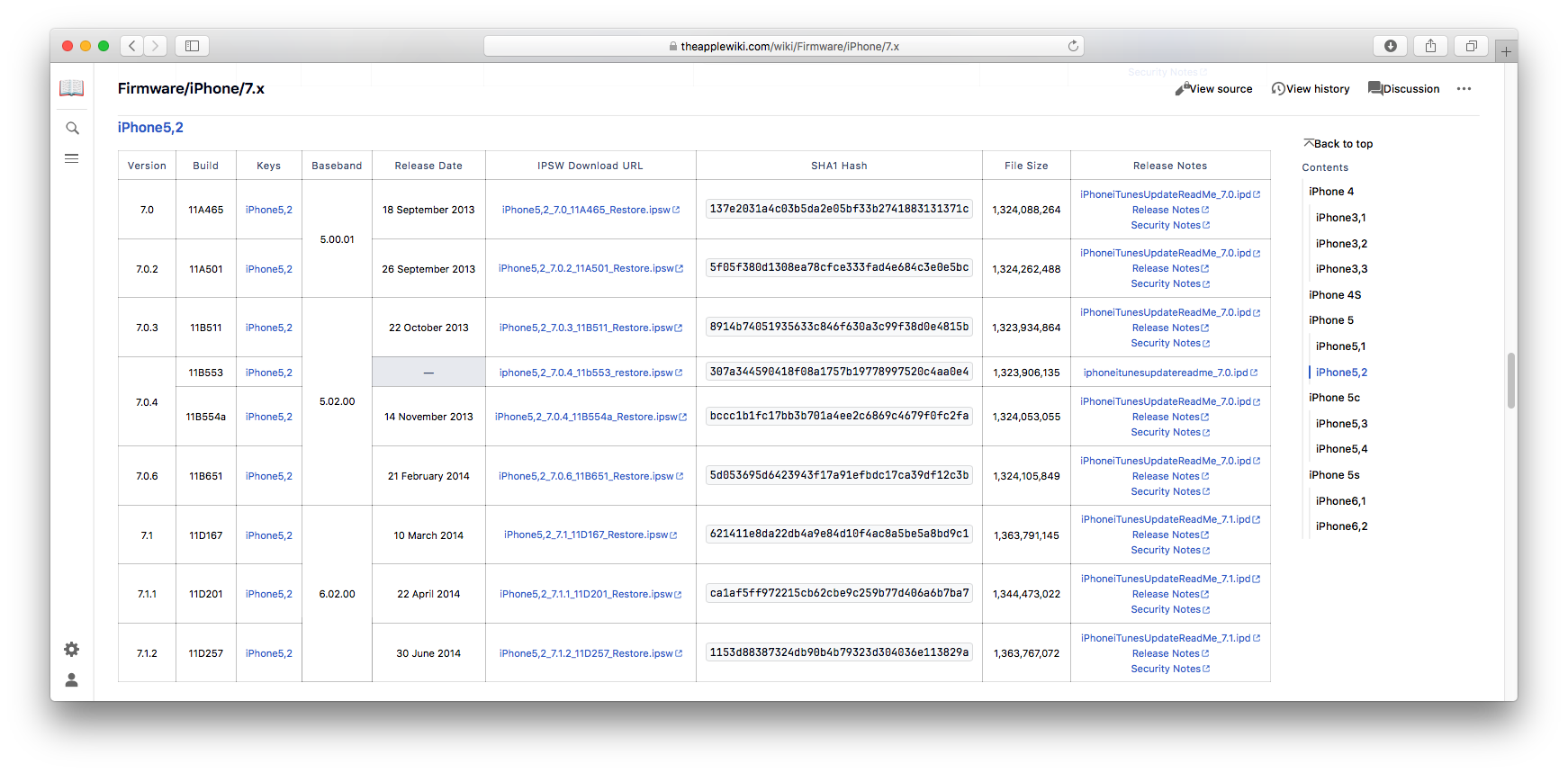
Download iPhone5,2_7.0.4_11B554a_Restore.ipsw, place it in your De Rebus Antiquis work directory under an iPhone 5 (N42AP) directory. Don't forget to do a shasum integrity check of the downloaded firmware file and compare the results about what's on TheAppleWiki.
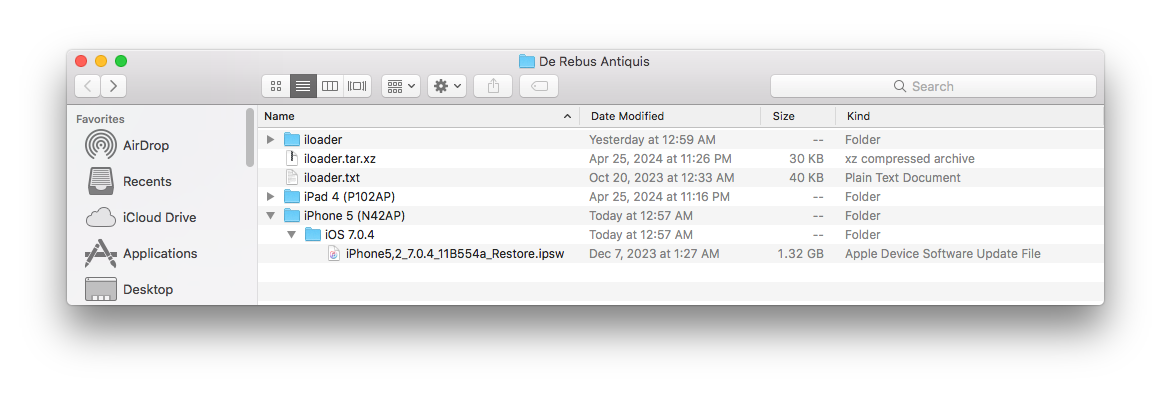
Unzip the .ipsw file, then use xpwntool to decrypt iBoot.n42ap.RELEASE.img3 from the ./[Extracted .ipsw file]/Firmware/all_flash/all_flash.n42.production directory.
Get the decryption keys from TheAppleWiki.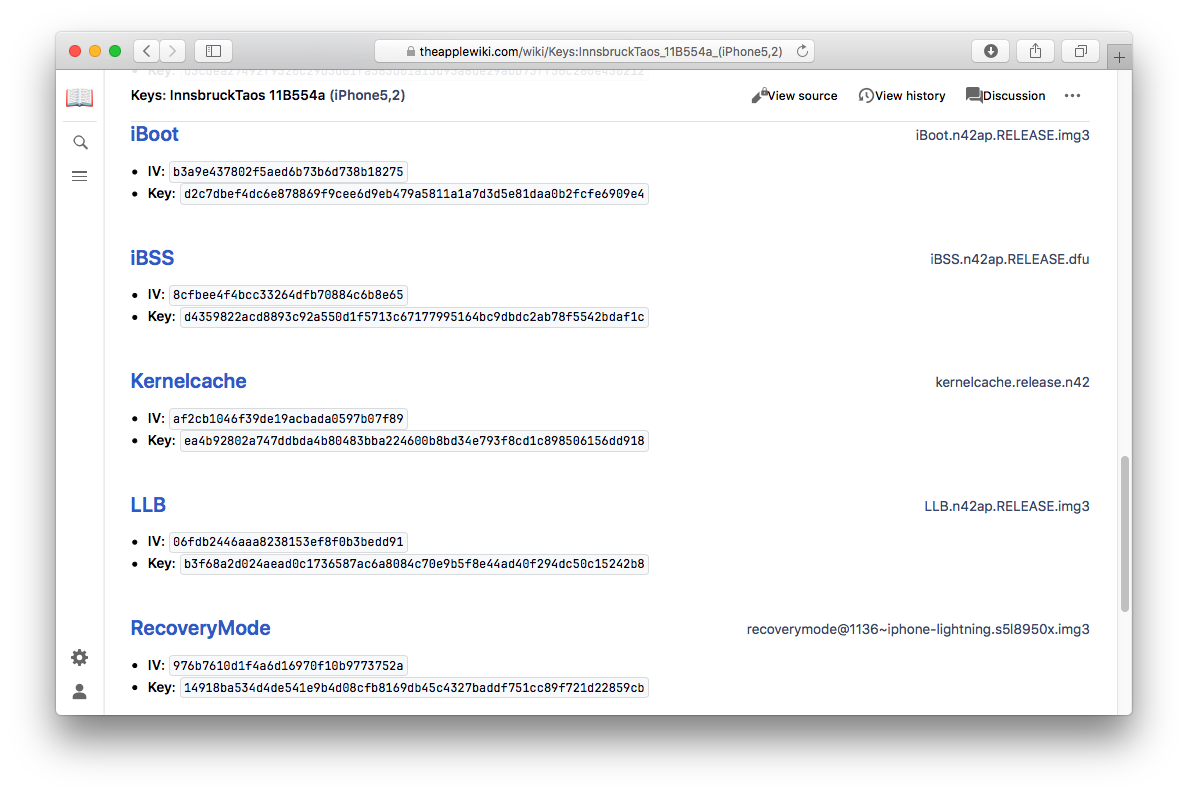 Use xpwntool to decrypt the iBoot image.
xpwntool iBoot.n42ap.RELEASE.img3 iBoot.n42ap.RELEASE_dec.bin -iv b3a9e437802f5aed6b73b6d738b18275 -k d2c7dbef4dc6e878869f9cee6d9eb479a5811a1a7d3d5e81daa0b2fcfe6909e4
Create a folder "images" for our iBoot images that we will use with iloader, under []/De Rebus Antiquis/iloader/ and move the decryipted image into this new folder. Then, rename it according to#define IMAGE_NAME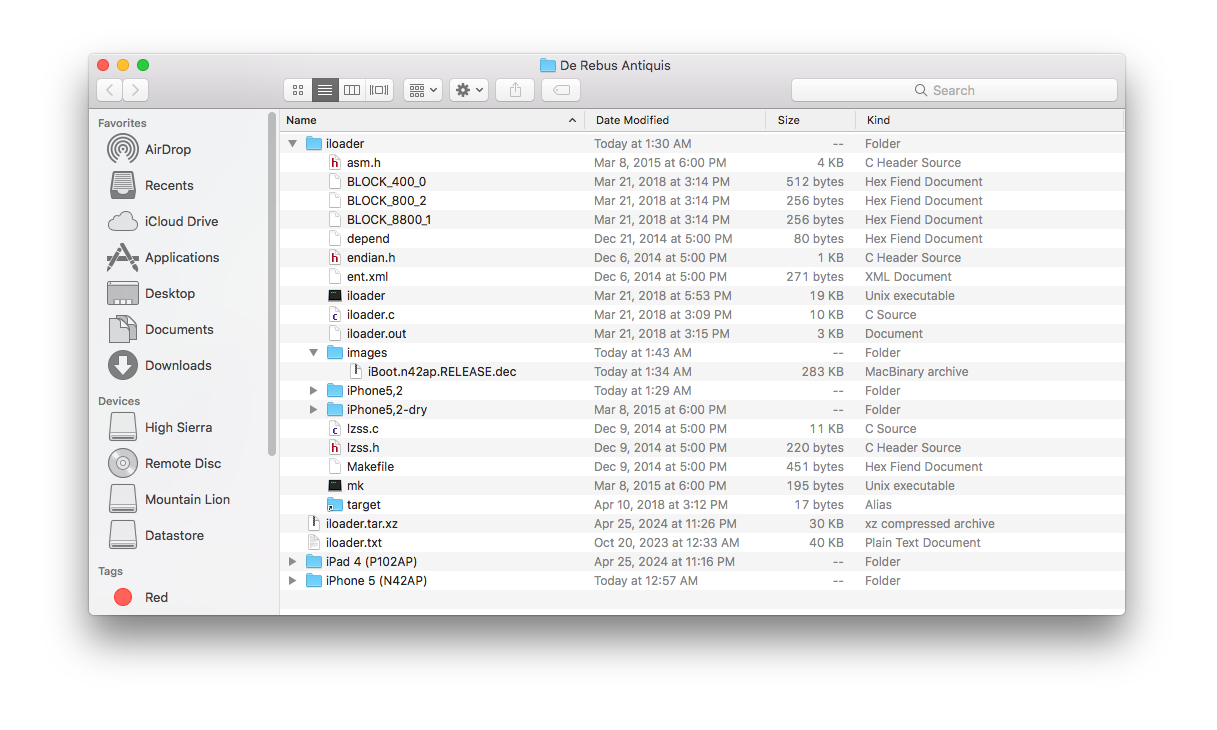 Using a SSH connection to your device, create a folder named "iloader" in the root directory.
iPad-p102ap#mkdir /iloader
Inside that new iloader directory, create one for the iPhone5,2 iOS 7.0.4 (11B554a) environment test.iPad-p102ap#mkdir /iloader/n42ap
The compiled iloader executable as well as the decrypted stock iBoot image will be stored here. We also have to create a "target" folder there for ramdisk.dmg and nettoyeur, according to their path set in the iBoot.h source file.iPad-p102ap#mkdir /iloader/n42ap/target
Use the scp command to transfert the following files from your computer to your iOS device.- []/De Rebus Antiquis/iloader/iloader -> /iloader/iloader
- []/De Rebus Antiquis/iloader/images/iBoot.n42ap.RELEASE.dec -> /iloader/iBoot.n42ap.RELEASE.dec
- []/De Rebus Antiquis/iloader/target/ramdisk.dmg -> /iloader/target/ramdisk.dmg
- []/De Rebus Antiquis/iloader/target/nettoyeur -> /iloader/target/nettoyeur
scp -P 2022 iloader root@localhost:/iloader/n42ap/iloader
scp -P 2022 ./images/iBoot.n42ap.RELEASE.dec root@localhost:/iloader/n42ap/iBoot.n42ap.RELEASE.dec
scp -P 2022 ./target/ramdisk.dmg root@localhost:/iloader/n42ap/target/ramdisk.dmg
scp -P 2022 ./target/nettoyeur root@localhost:/iloader/n42ap/target/nettoyeur
On-device files required to run iloader should looks like this.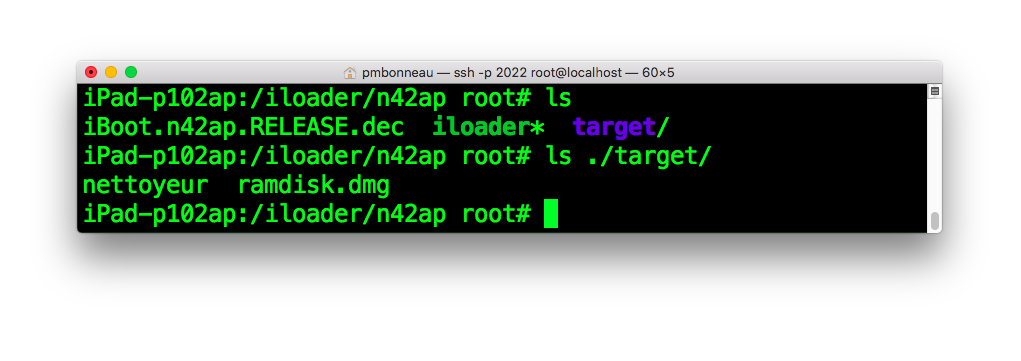 Now, we have everything set to run iloader built for iPhone5,2 iOS 7.0.4 (11B554a). To execute the whole thing, simply call the iloader program with no arguments.
./iloader
If everything goes well, you should get mostly the same iloader output as in Xerub's writeup. One notable difference you might notice there is the relocation address, which is choosen arbitrary by iloader at each execution probably because the memory is shared among other processes in userland and we don't want to overwrite anything already allocated there. Here is the complete output of that iloader run.
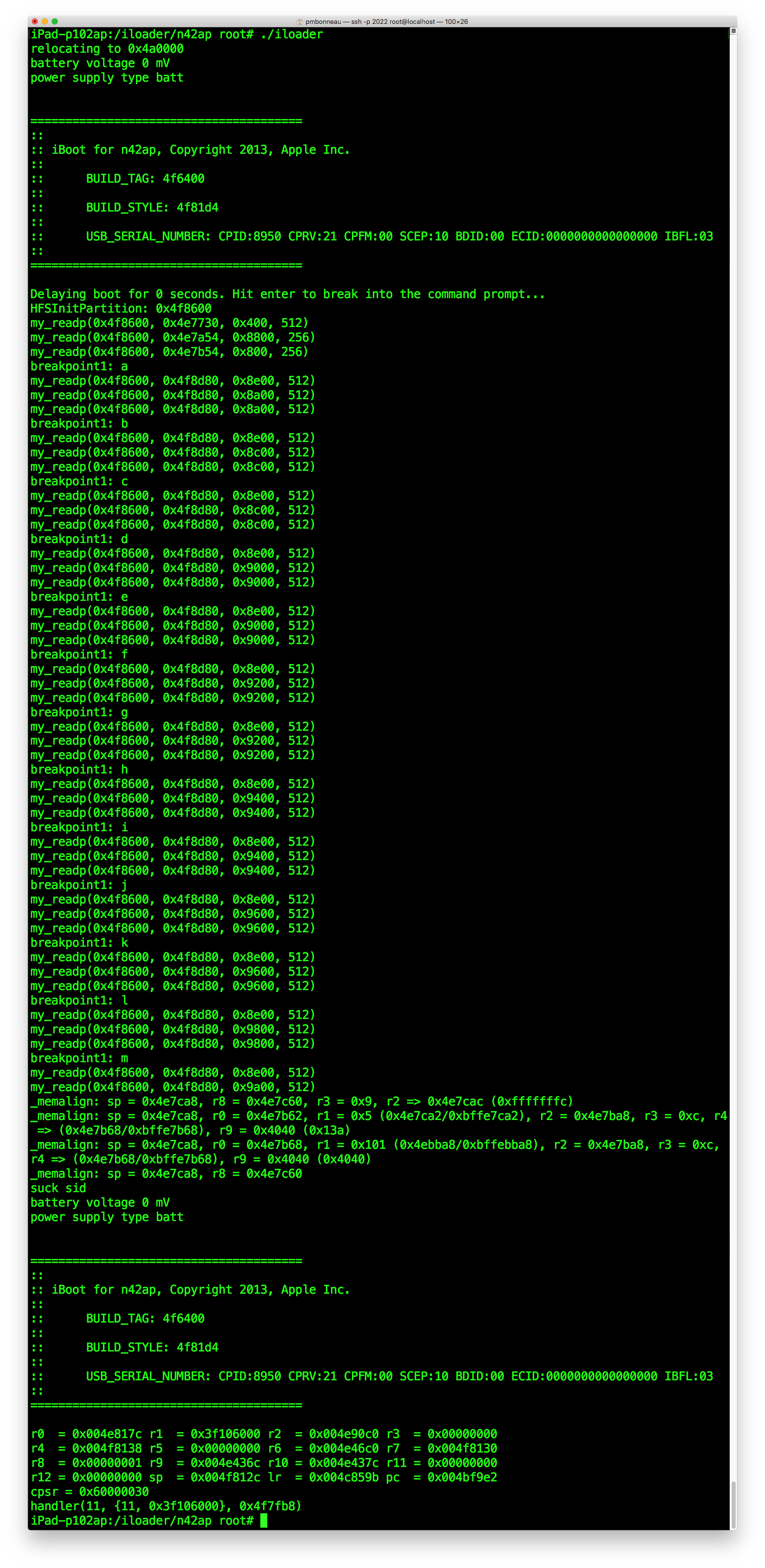
What we can see above is iBoot starts, mounts the HFS boot-partition (which is actually ramdisk.dmg), then drills down a long path set in NVRAM variable boot-ramdisk to search for a "disk.dmg" named ramdisk image. We hope the exploit gets triggered before iBoot reaches that ramdisk image at the end of the path. If disk.dmg gets read, iBoot obviously returns "Ramdisk file invalid" since that ramdisk is a dummy file which only consists of "FAKEFAKEFAKE" patterns. Otherwise, iloader outputs registers of each memalign calls to help us find at which address we get control of the program counter (PC), where we get code execution. Once there, iBoot jumps to our post-exeploitation shellcode. That payload will apply some patches, run nettoyeur then reload a clean copy of iBoot itself. That re-executed iBoot will ends up crashing in recovery mode, because this is something iloader doesn't support. We can consider the exploit implementation working as expected in iloader if we see printed in console "suck sid", then a second time the boot banner of iBoot (means the bootloader has been successfully re-executed).
Since we know what kind of output to expect from an iloader dry-run of this iBoot exploit, the second thing I suggest to do is to try compile the whole thing by ourselves. This will allow us to see if we still get the same output or results as Xerub's compiled binaries.